How to use a free VPN to access all the games on Pickwin! 🌍
📌 Introduction
Some games on Pickwin may not be available in your region because of geographic restrictions.
Using a VPN (Virtual Private Network) can let you get around these limits by hiding your real location and connecting through another country.
Here's a simple guide to using a free VPN and accessing all the available games.
⚠️ Important: Pickwin isn't partnered with any VPN provider. The NordVPN example is used for illustration only.
🛠️ Steps to use a VPN with Pickwin
1️⃣ Choose a VPN provider
There are several free options, like UrbanVPN, TunnelBear or HolaVPN.
2️⃣ Download and install the VPN
Go to the provider's official website or your app store (Google Play / App Store).
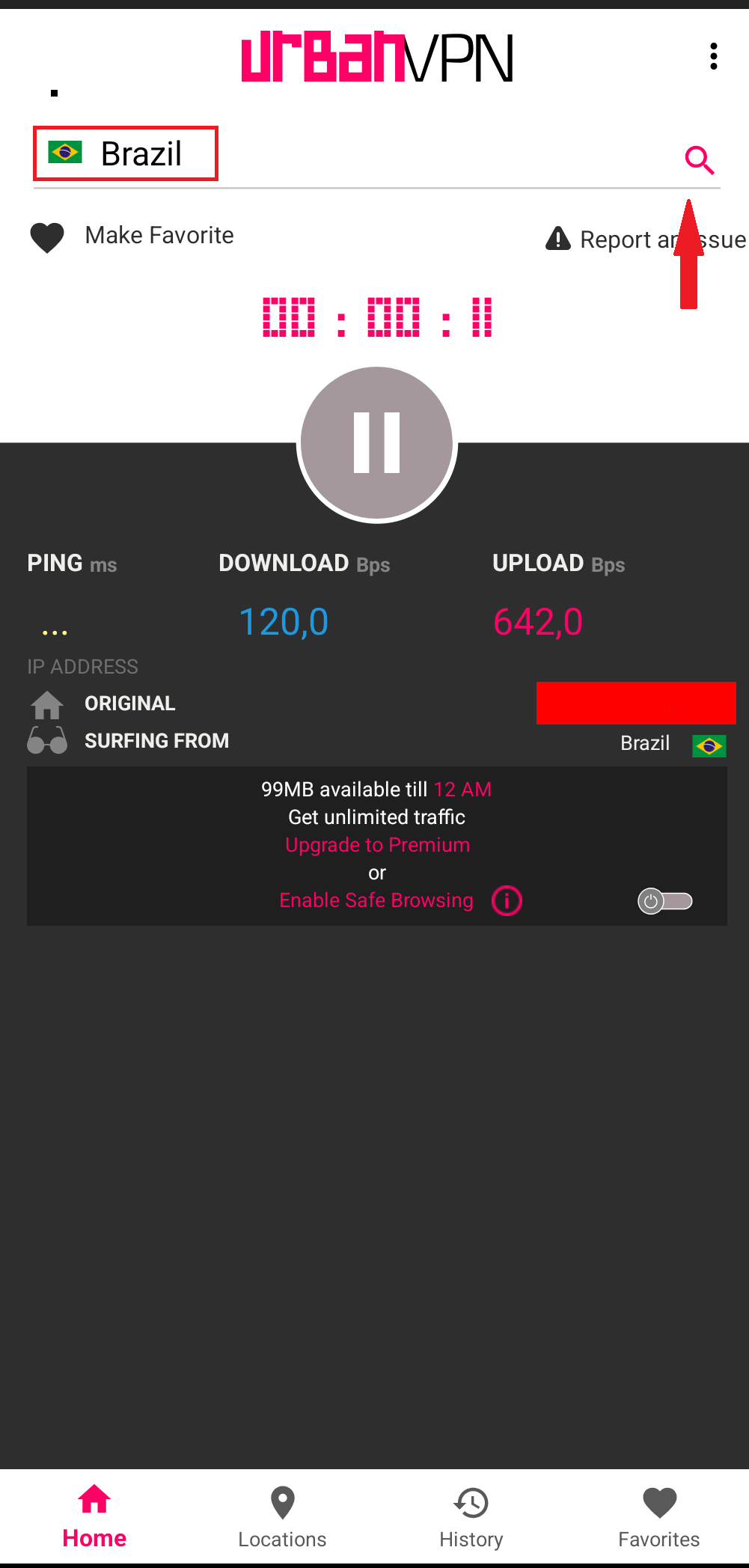
3️⃣ Connect to a server
Open the VPN app.
Select a server in a country where the game is available on Pickwin (for example: Brazil, Canada, Finland…).

4️⃣ Log in to Pickwin
Once the VPN is on, log in to your Pickwin account as usual.
You should now have access to all the games available in the country you picked.
💡 Tips for a better experience
Choose a server that's geographically close to you to reduce lag.
Avoid switching locations too often so you don't get disconnected.
With a VPN, you can expand your game library on Pickwin and enjoy a more complete experience.
That said, keep in mind this method is for information only, and Pickwin doesn't recommend any specific provider.